Connect Warp to Browser.lol
Let Warp open and use websites in a Browser.lol cloud browser. You watch live and take over whenever it needs you.
Add the server to your client
Connect Warp
Install Warp and sign in.
1. Add the connection
Open Settings › Agents › MCP servers, click + Add and paste this.
SettingsAgentsMCP servers+ Add
Add the entry below. Keep any other servers already in the file.
{
  "browserlol": {
    "url": "https://api.browser.lol/mcp"
  }
}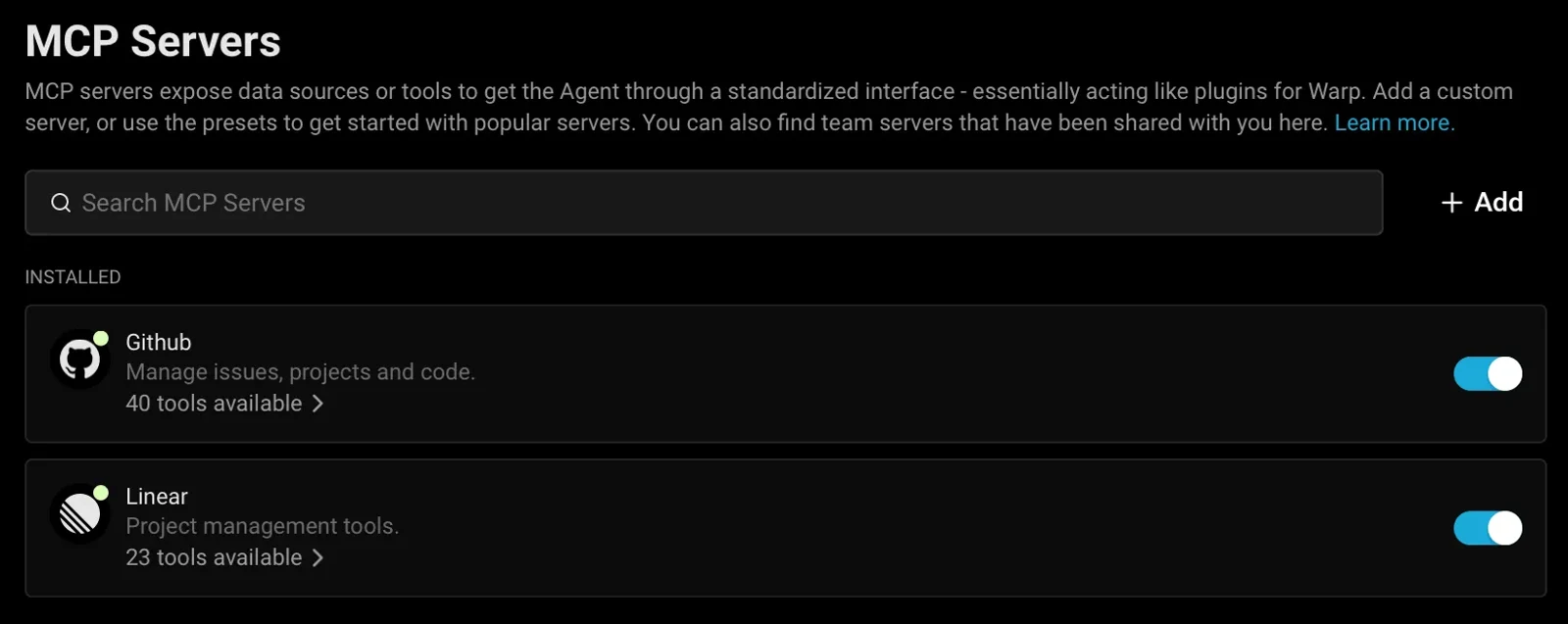
Official example. Use your values above; the example may show a different server or interface version. Screenshot source 2. Sign in and allow access
Start browserlol on the MCP servers page. Warp opens the Browser.lol sign-in page; sign in and allow access.
Start
3. Try it in a new chat
Check that browserlol is running and lists its tools, then send the task below to the agent.
Open MCP Servers
Open example.com in a Browser.lol session and tell me what the page says.
Official instructionsInstructions checked October 2, 2026
Automation tools, your own code and clients without sign-in use an API key in a header instead. The AI agents page creates one for the client you choose; give each client or machine its own key so you can revoke access separately.
Open Agents